Simplify Frontline Operations

One place to help keep your frontline ready and moving

From scheduling and time to recruiting and onboarding, the Dayforce Command Center for frontline operations gives managers who run day-to-day operations one place to help them see what needs attention and act with more efficiency.

Overview

Less time navigating. More time leading.

There’s a lot to keep moving when running a frontline team. The Dayforce Command Center connects daily operations, workforce management, and talent workflows in one place to help support timely decisions.
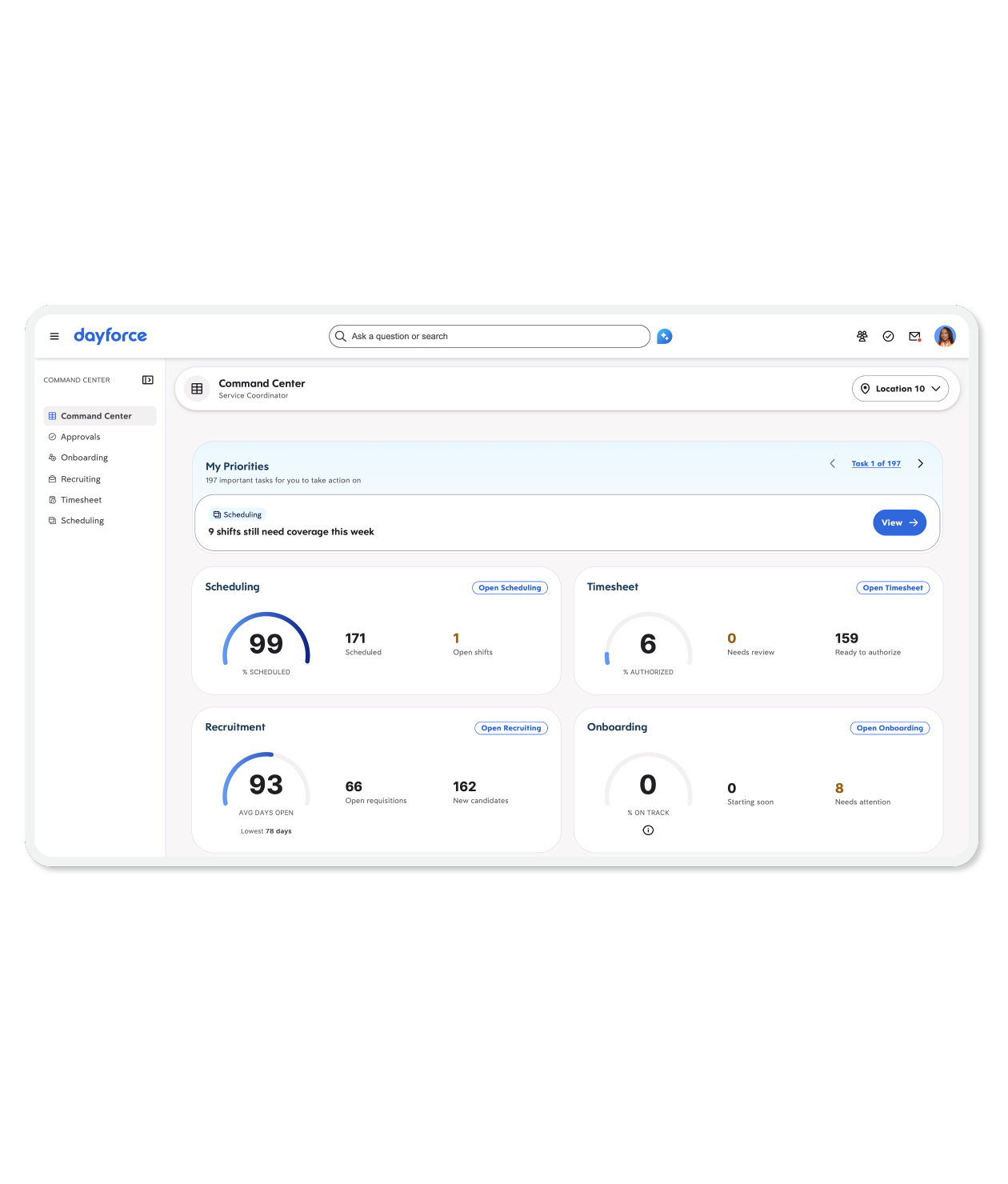
See your priorities

See open shifts, pending approvals, and new applicants in one view, so you can start with the work that matters most.

Understand your frontline status

Check coverage, timesheets, and other day-to-day signals at a glance to help you spot issues early and shift focus when challenges arise.

Take action with ease

Move straight from a priority to action with less searching — whether filling a shift, reviewing an applicant, or approving time.

The Dayforce Difference

Built for how frontline work gets done

Frontline work doesn't happen in silos. The Dayforce Command Center for frontline operations helps connect the people, processes, and decisions behind daily operations, so managers can spend less time switching screens and more time supporting their teams.
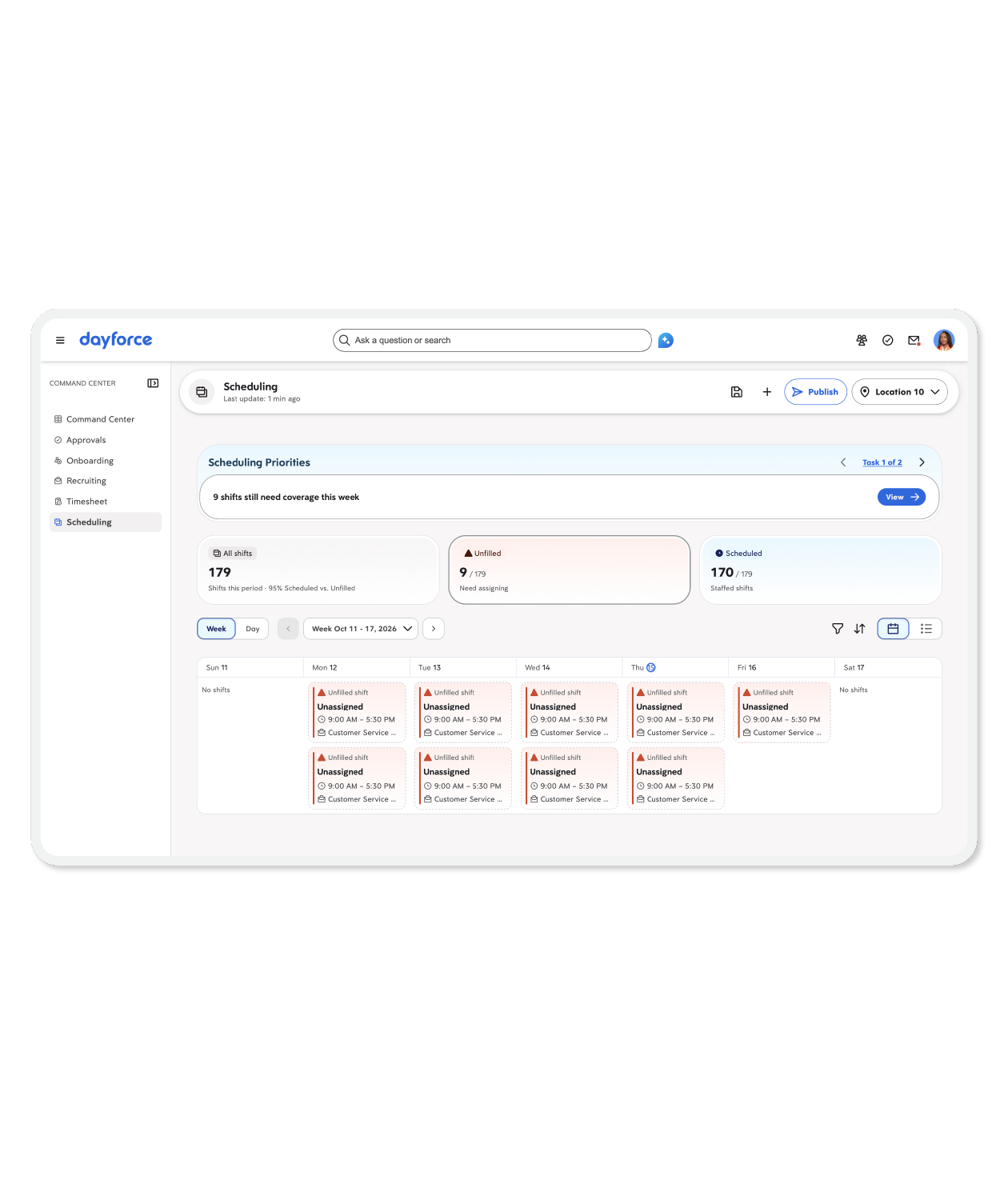
One platform behind the work

Command Center is built on the Dayforce Agentic HCM Platform, bringing workforce management and talent workflows together on a shared foundation to help simplify frontline operations.

One place to run the day

Help frontline managers manage coverage, time, approvals, and hiring from one central place rather than navigating disconnected platforms.

One place to act faster

Move from priorities to relevant workflows more efficiently with the context that helps managers make decisions and act with a more connected experience.

Ready to get started?

See the Dayforce Privacy Policy for more details.
This site is protected by reCAPTCHA and the Google Privacy Policy and Terms of Service apply.

FAQ

Frequently asked questions

What is the Dayforce Command Center for frontline operations?

The Dayforce Command Center gives frontline managers one place to help them better understand workforce status, see what actions are needed, and respond accordingly. It brings workforce management and talent together in a single experience, helping managers stay on top of people, priorities, and daily operations.

How does Command Center help managers work more efficiently?

The Dayforce Command Center is designed to help managers reduce the need to navigate between workflows and allow them to focus more attention on their teams. It highlights priorities like unfilled shifts, pending approvals, and new applicants, provides insight into daily operations, and connects managers directly to the tasks that need attention.

How is Command Center related to Dayforce Build?

The Dayforce Command Center is the first product built using Dayforce Build, Dayforce's AI-powered development experience. It demonstrates how the Dayforce Agentic HCM Platform can help simplify the creation of new applications and experiences by connecting workforce data, workflows, and actions.

Do customers need Dayforce Build to use Command Center?

The Dayforce Command Center is a separate product experience created using Dayforce Build. Managers do not need to use Build to access or work in the Command Center. The experience reflects the Dayforce modules, data, and permissions available to their organization, so managers see information and actions relevant to their roles.

Let us show you what Dayforce can do.